integration drops in weeks. If you’re on Datto, join the waitlist for early access. Join Waitlist

Service Desk now available for Mobile

Explore Now

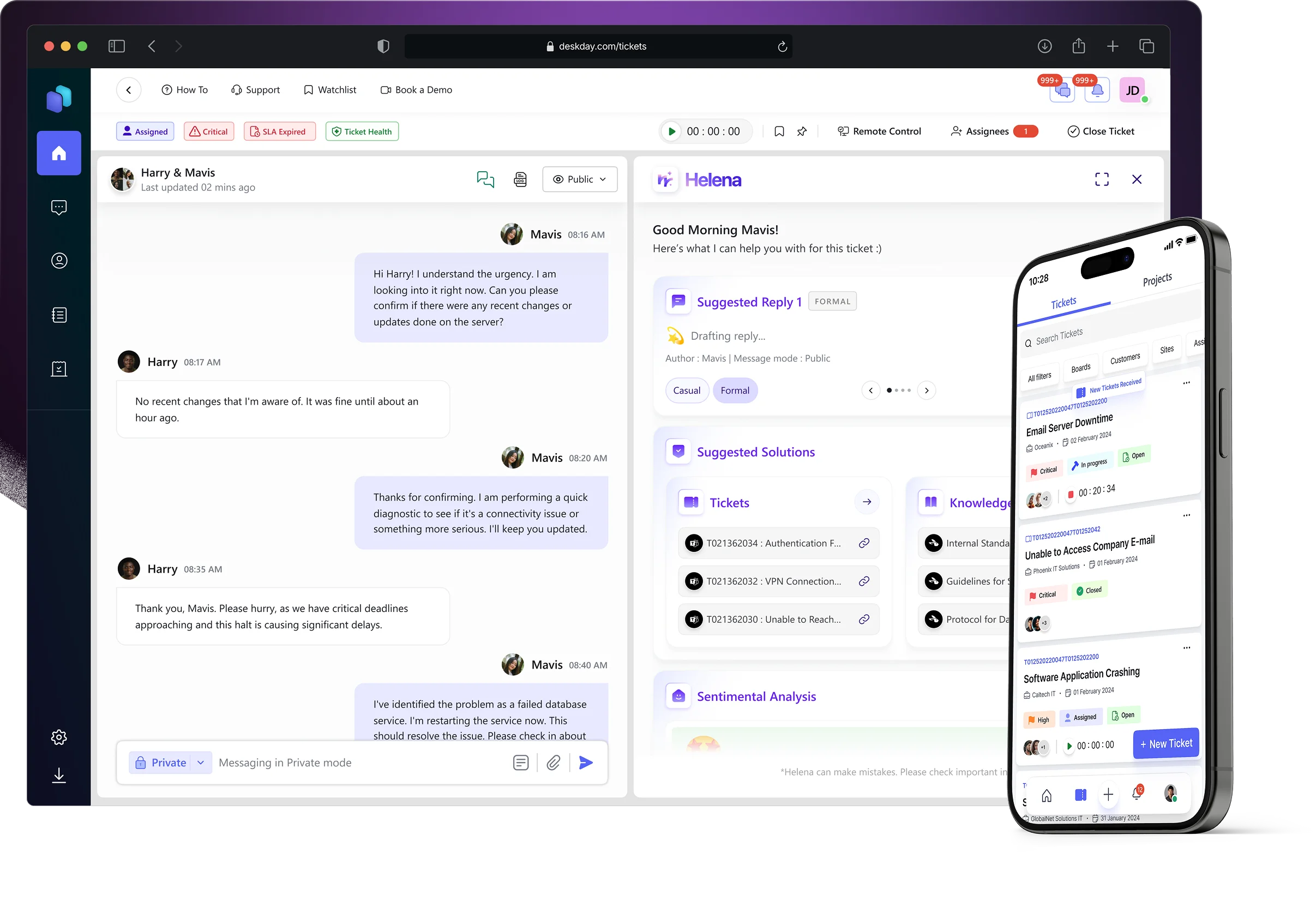
Helena, the AI copilot inside your Service Desk

Built directly into the ticket workflow, Helena works alongside your techs as a quiet copilot, with timely assistance, exactly where it’s needed.

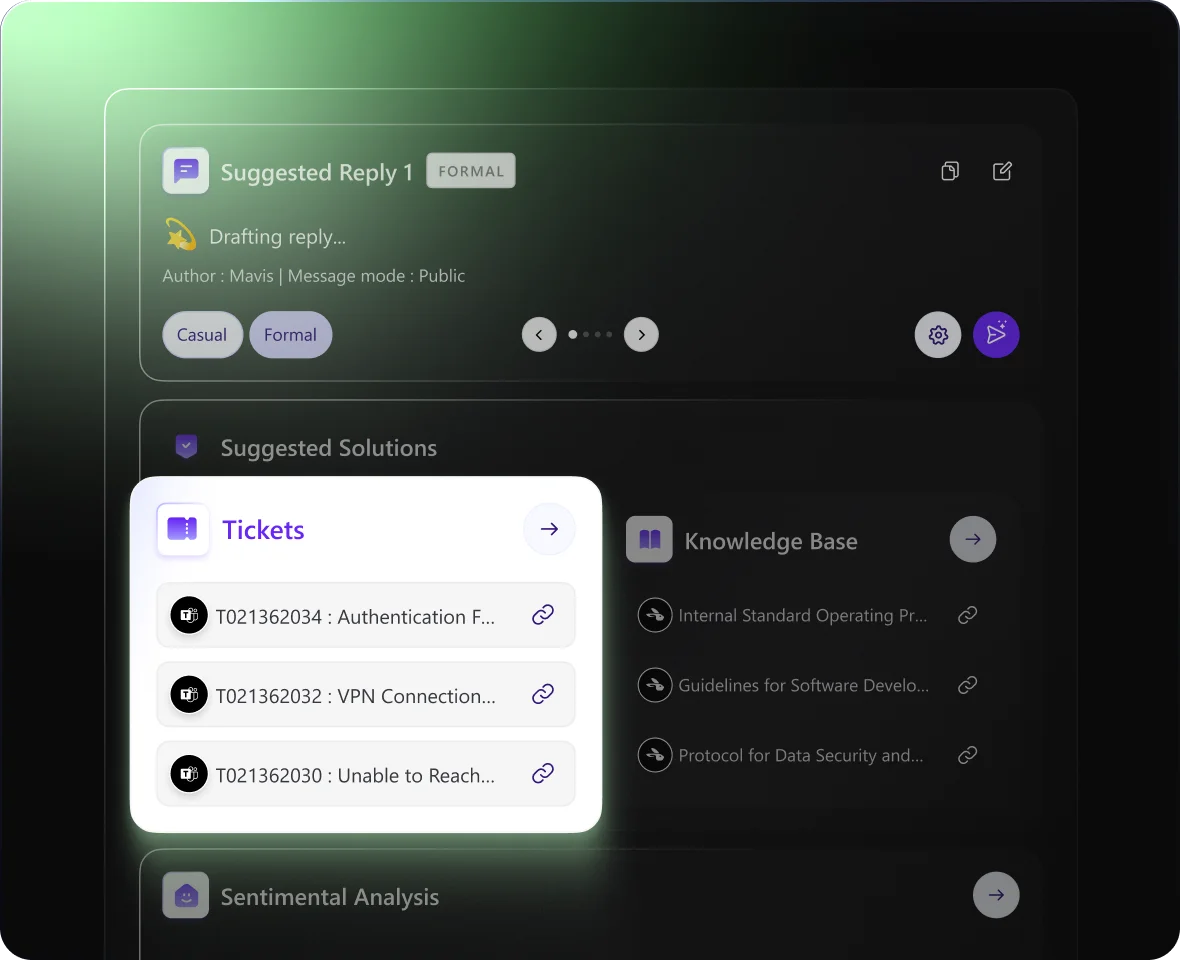
Smart reply suggestions

Helena suggests clear, context-aware responses based on the ticket conversation. Techs can review, edit, and send, or ignore it entirely.

Learn more

Past ticket resolutions, instantly

Helena surfaces similar tickets your team has already solved, so techs don’t have to rely on memory or dig through history to figure out what worked last time.

Learn more

Relevant knowledge base documents

Instead of searching manuals or SOPs, Helena brings the right KB articles into the ticket view, aligned to the issue at hand.

Learn more

Built-in sentiment awareness

Helena reads tone and sentiment quietly in the background, helping techs spot frustration or urgency early, without rewriting messages or changing how they communicate.

Learn more

Conversational Service Desk support

Fast, smart, and built for modern MSPs and IT teams!

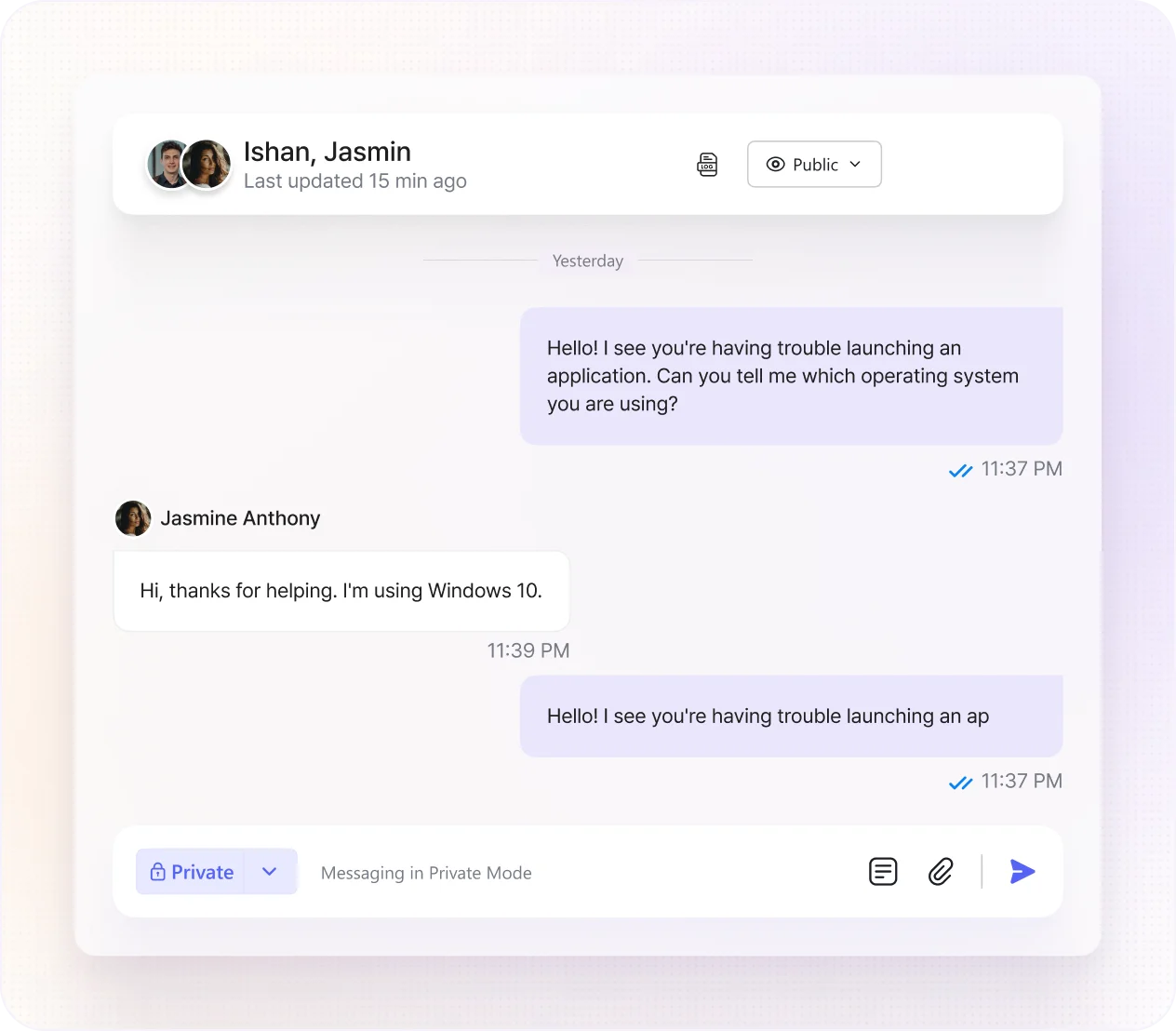
Conversation-led ticketing
Real-time chat support for faster resolution

Skip long IT support calls and email threads. Get notified of every new ticket from your end-users and resolve them quickly through their ticket chats.

Quick access to ticket context
Unified ticket window: everything in one Place

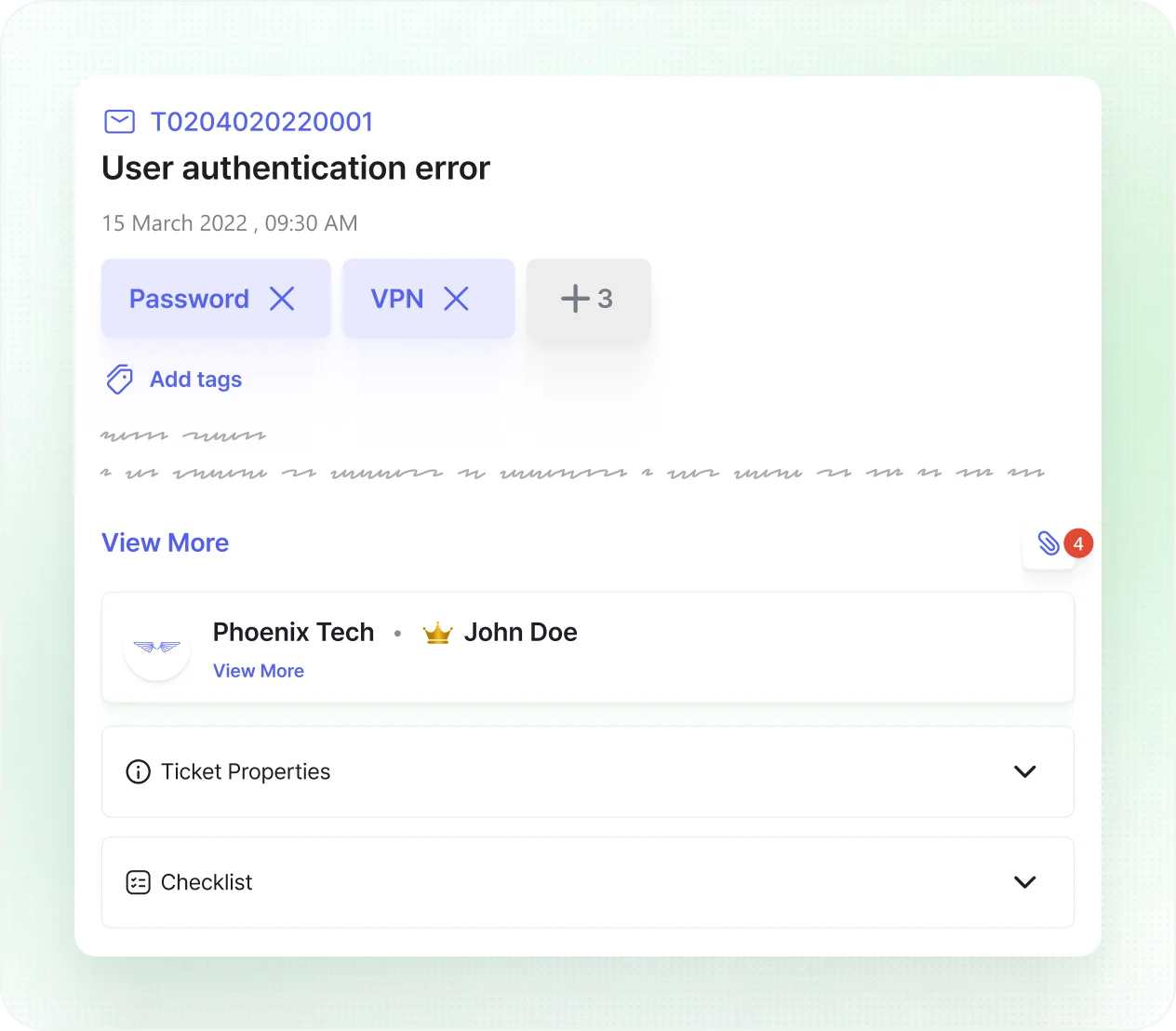
No more toggling between multiple windows to gather the context of incoming tickets. Your techs can view the entire ticket context, including its timeline and conversation history directly within the ticket window for faster ticket resolution.

Support where users are
Easy multi-channel support from your Service Desk

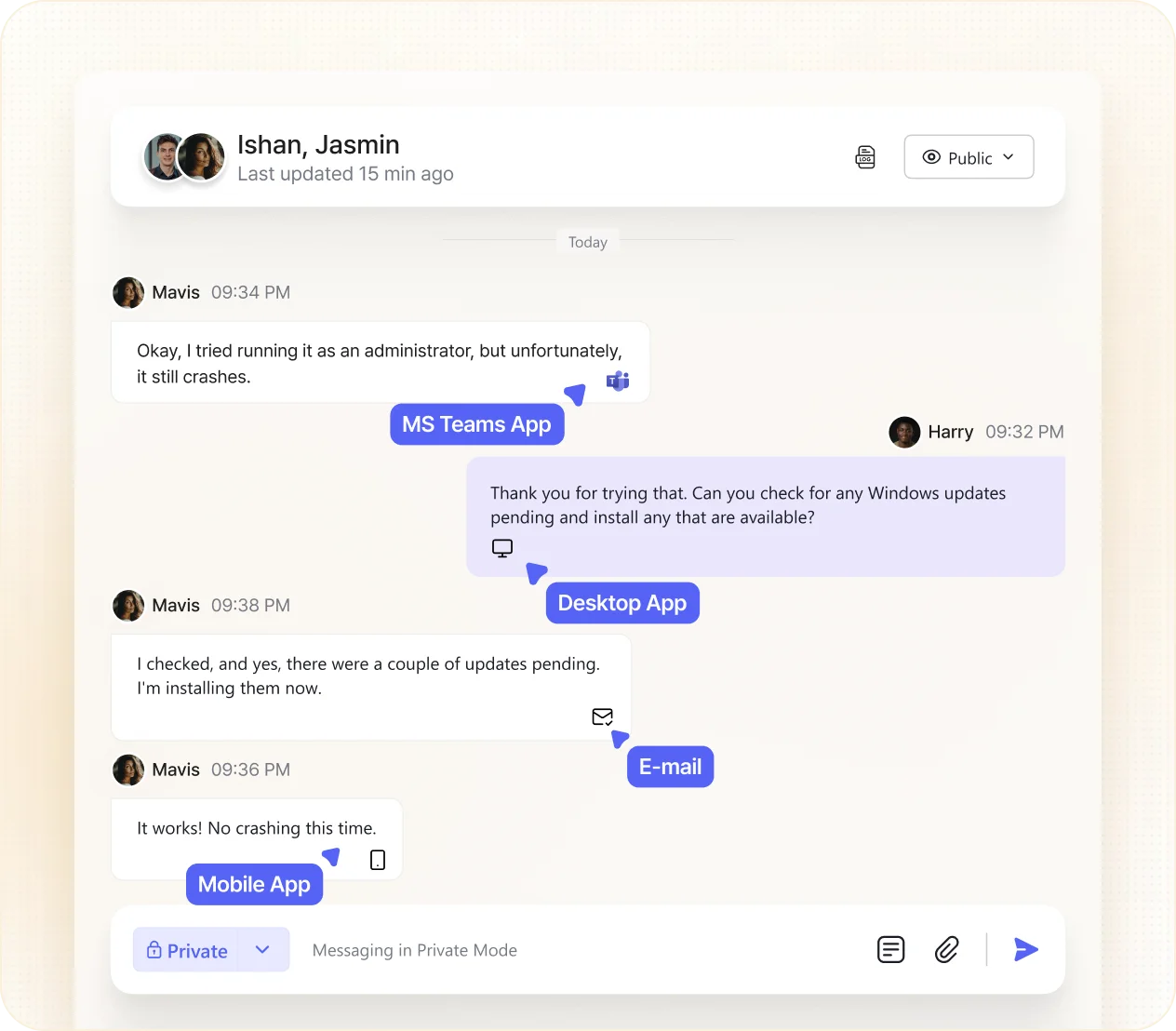
Forget being in every channel at once to deliver multichannel support. DeskDay centralizes tickets and conversations from multiple channels like IT-Connect and email so that your techs can efficiently manage these interactions directly within a single interface for concurrent ticket resolution.

Multi-ticketing
Manage multiple tickets at one time

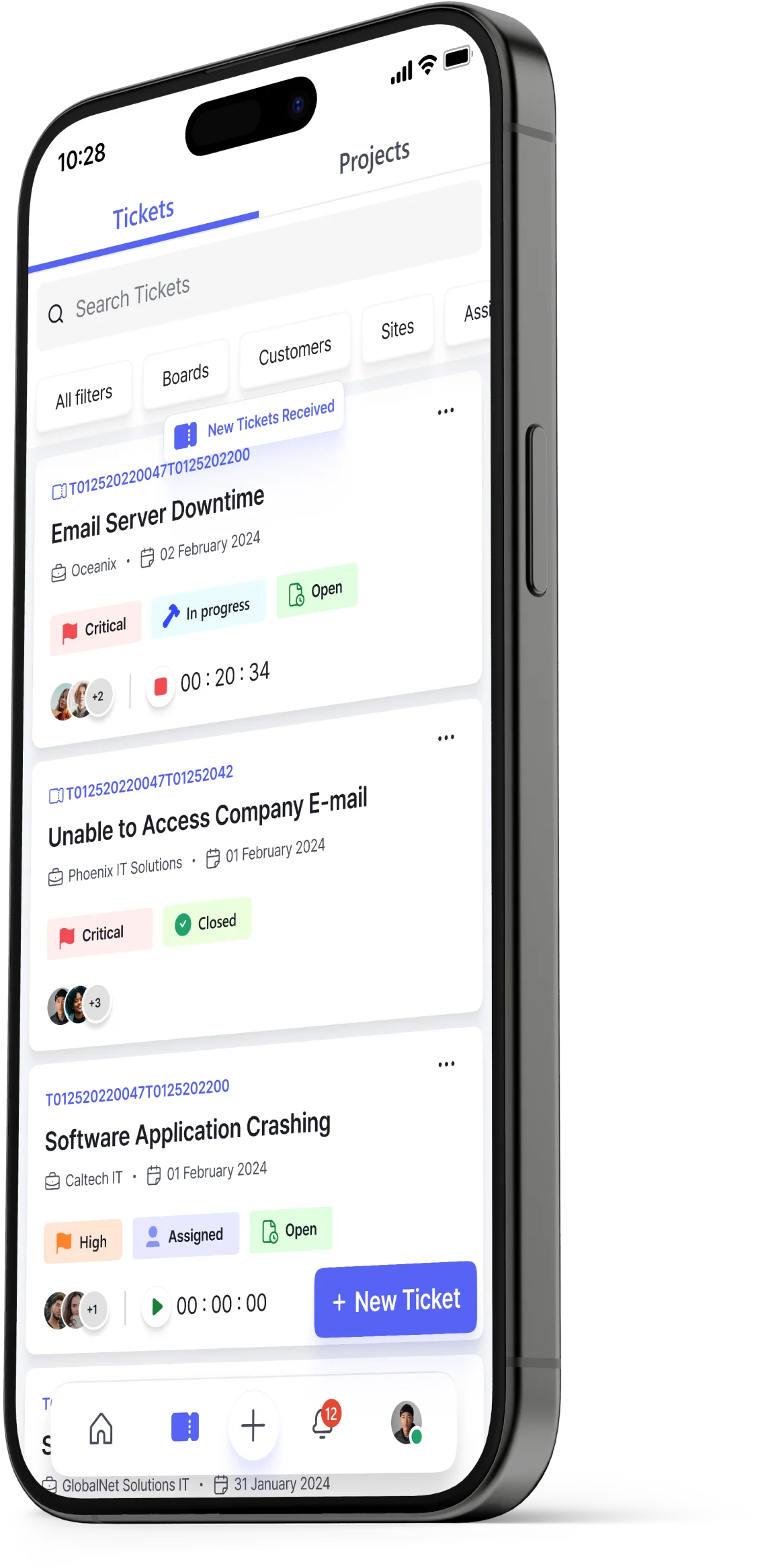
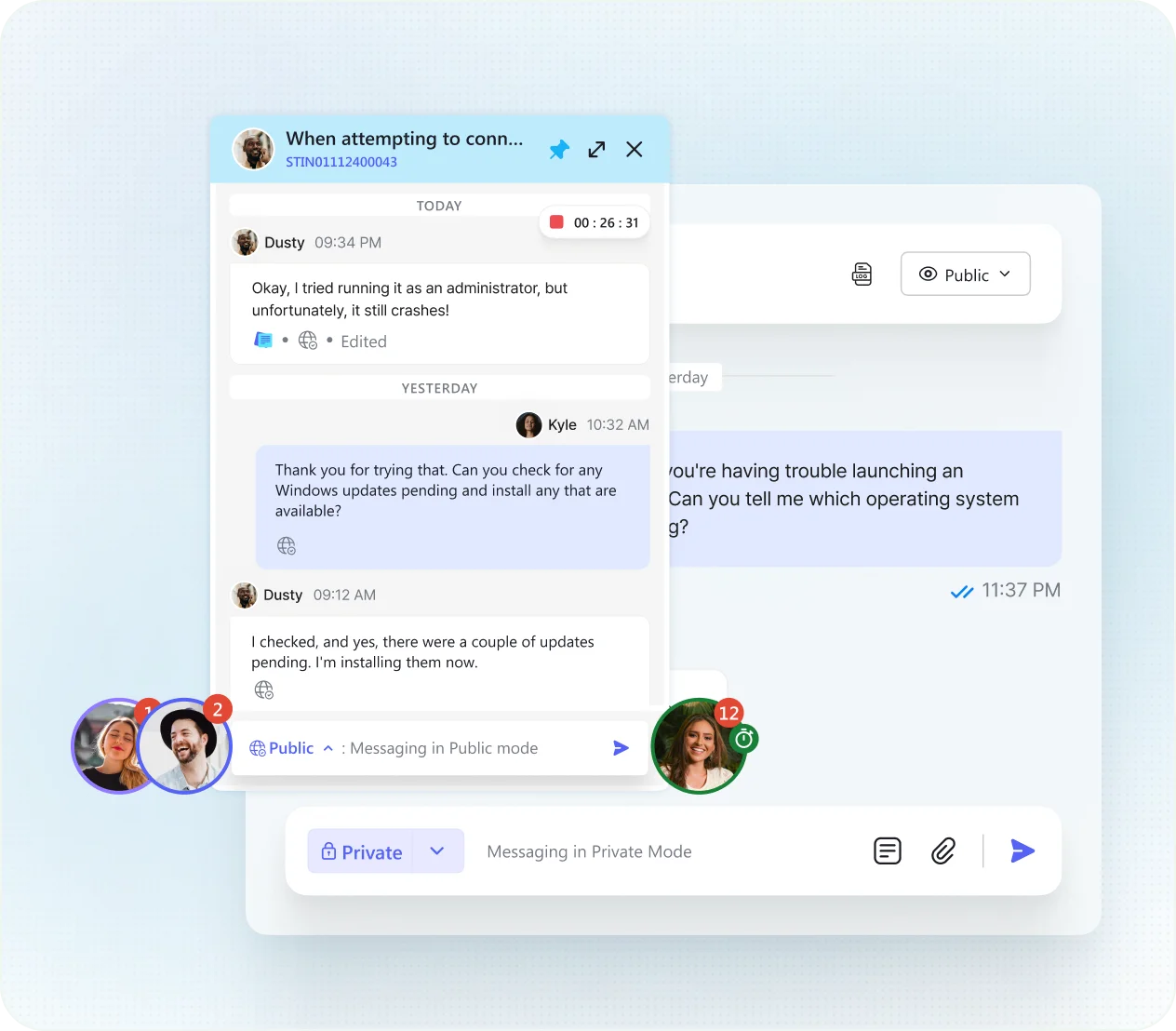
Unchain your techs from the drag of handling support tickets one at a time. Techs can now pin up to seven tickets and work on them simultaneously along with end-users through chat. This not only accelerates your response and resolution times but also dramatically enhances your tech team's productivity.

Stay on top with Watchlist
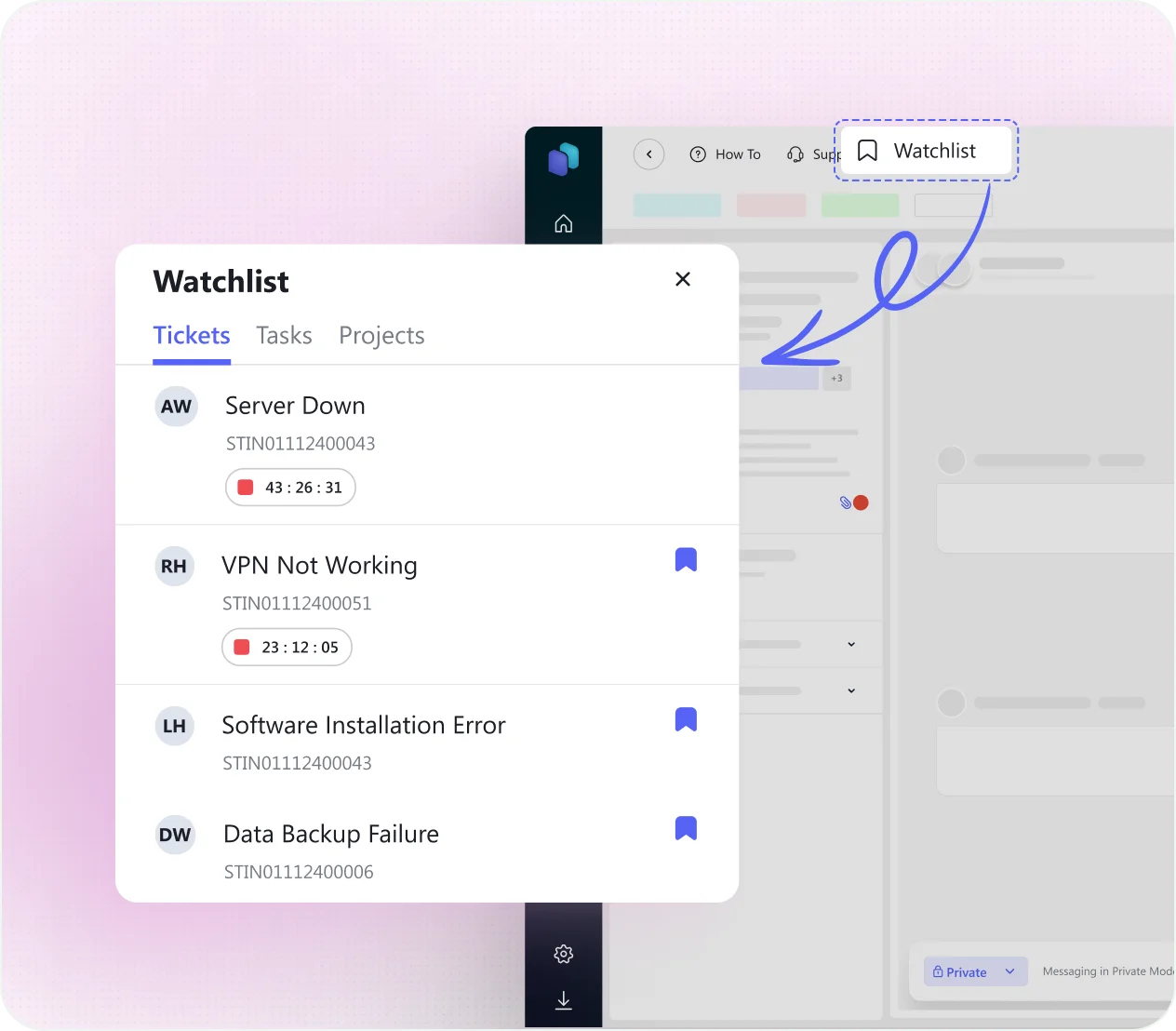
Keeps your critical tickets, tasks, and projects just a click away

No more time lost in endless searching - Watchlist helps you quickly access high-priority or frequently referenced tickets, tasks, and projects without having to search through the entire system. Customize your watchlist as priorities shift and reduce stress by knowing that every key task is there in the list as a memory aid; always within reach.

SSO FOR MSP TECHS & IT TEAMS
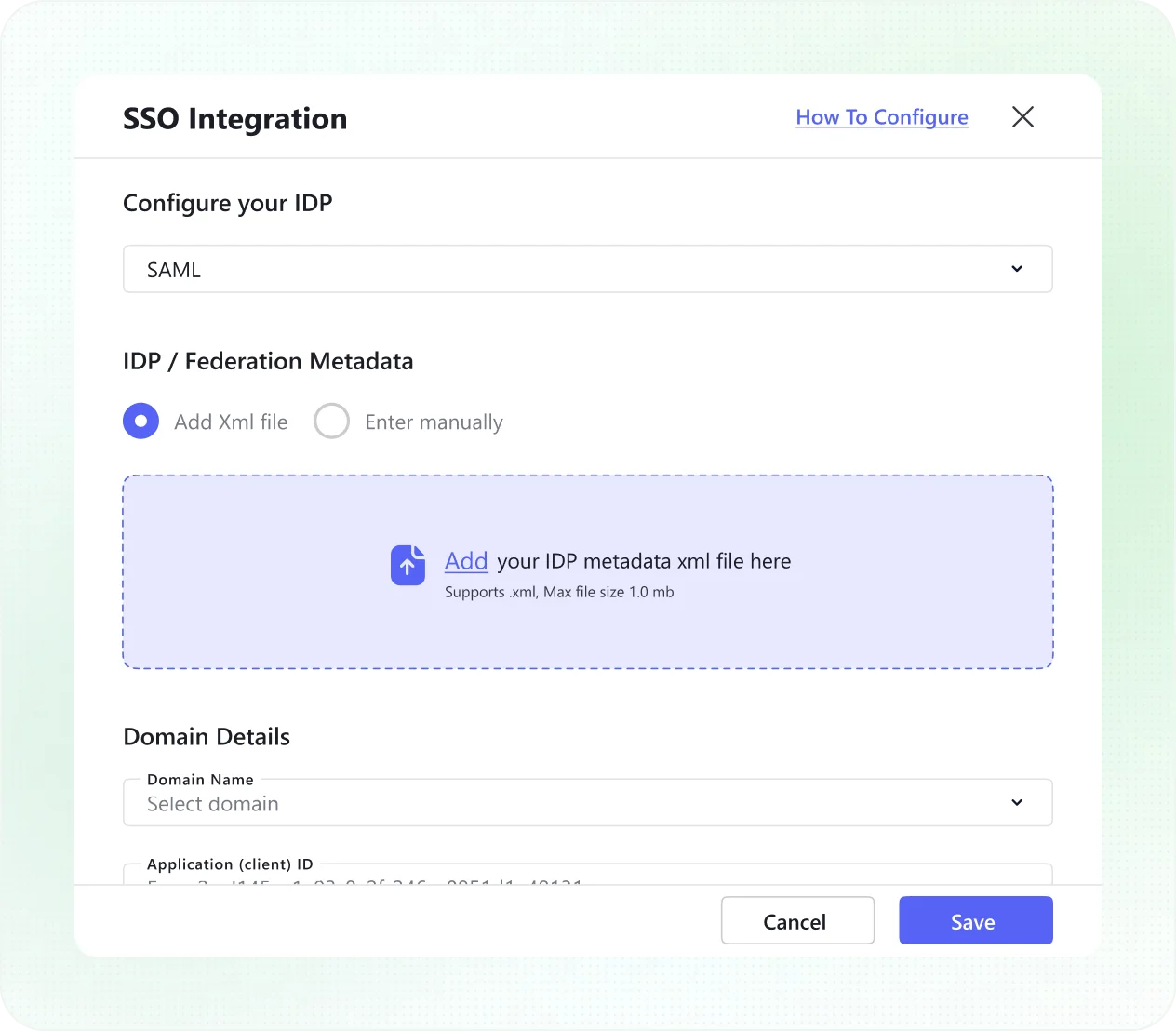
Enterprise SSO with zero accidental access

Forget juggling extra logins just to access your service desk. Legacy service desk tools force techs to manage separate passwords outside your identity stack. DeskDay gives techs secure SSO using Microsoft Entra ID (Azure AD), Google Workspace, Okta, or JumpCloud; built on OIDC and SAML 2.0, with access granted only to explicitly approved techs.

A feature-packed upgrde for your Service Desk

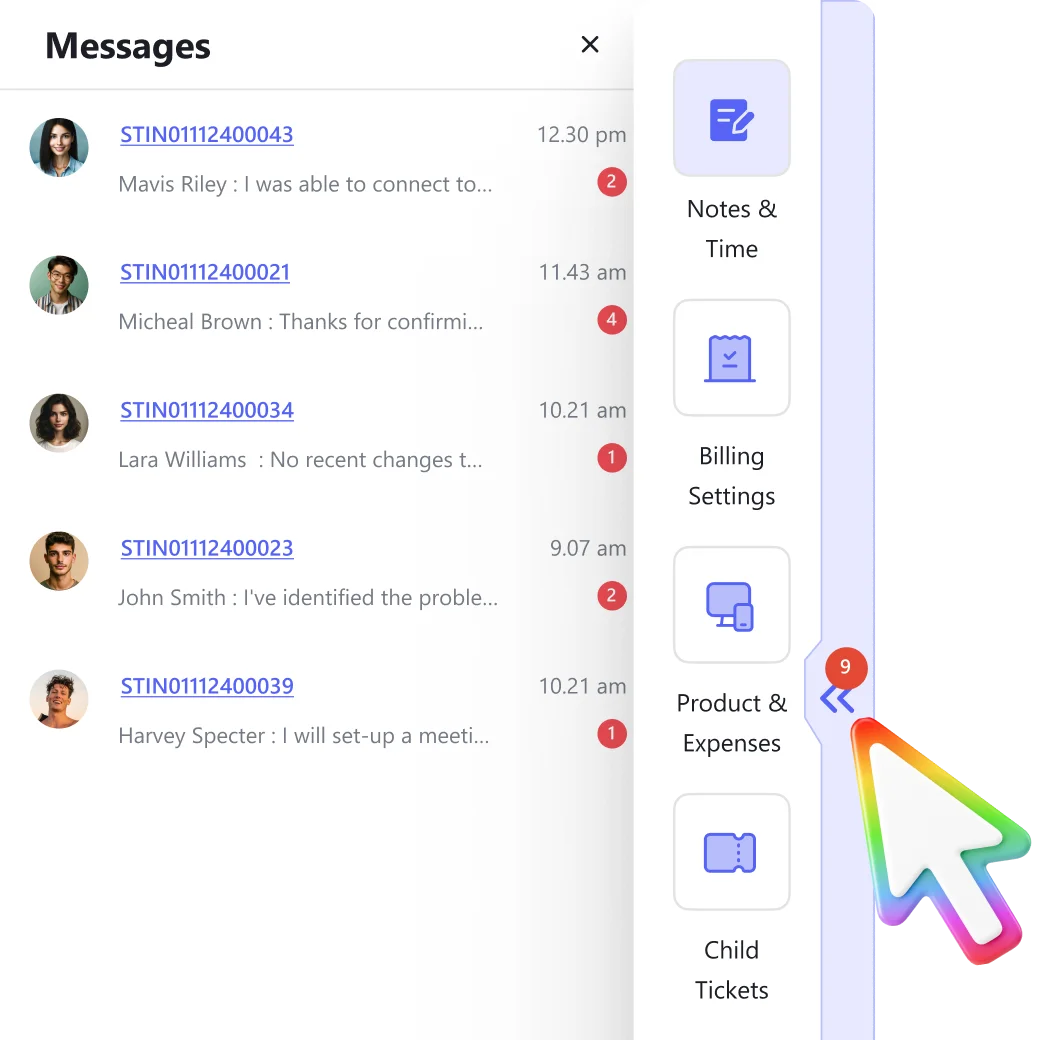
Manage chats with message hub

Get notified, view, and reply to chats quickly and efficiently right from the side tray, leading to faster resolutions and happier end-users.

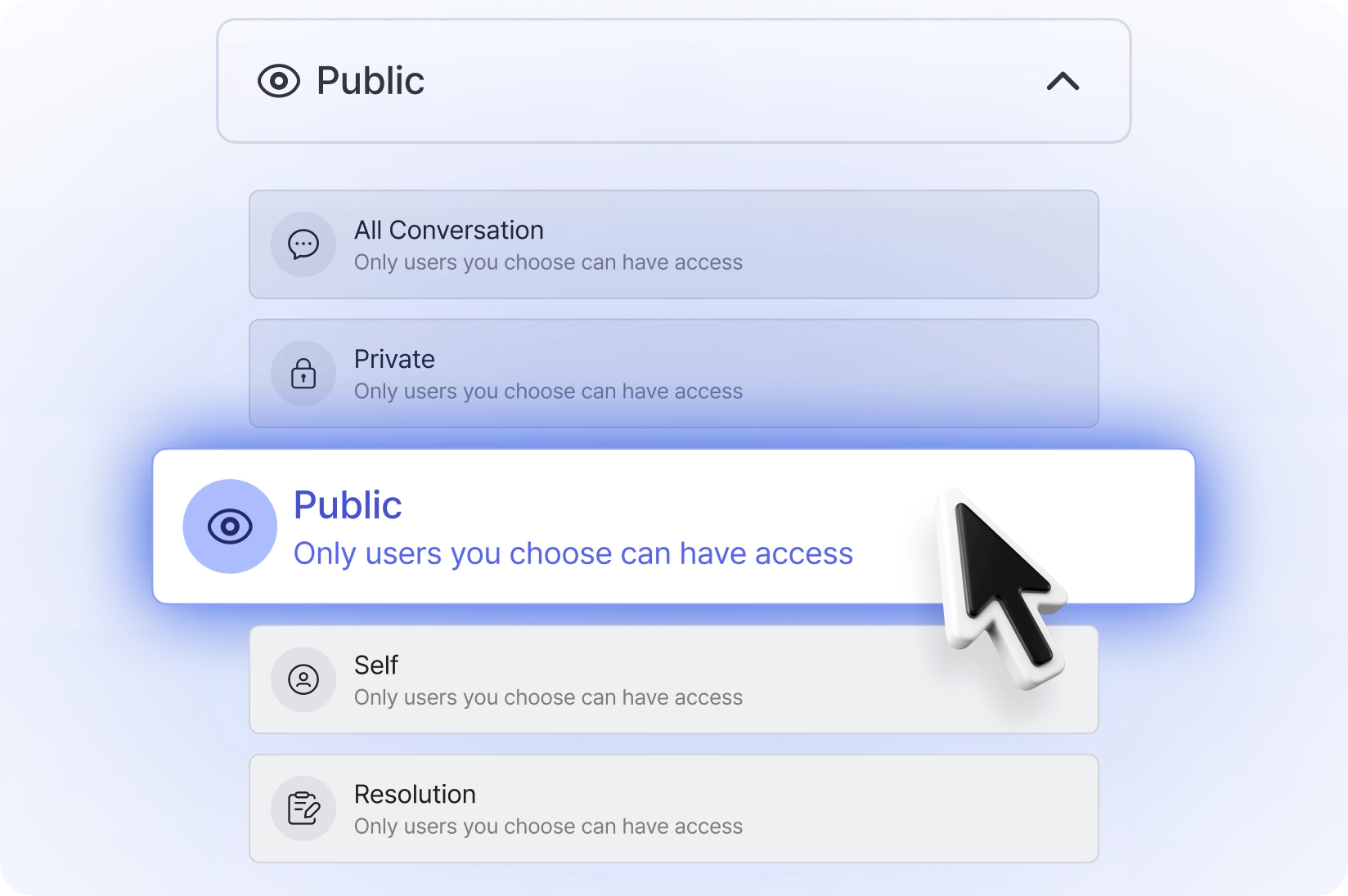
Conversation filters

Efficiently navigate through different conversations by categorizing them into private, public, personal, and resolution notes.

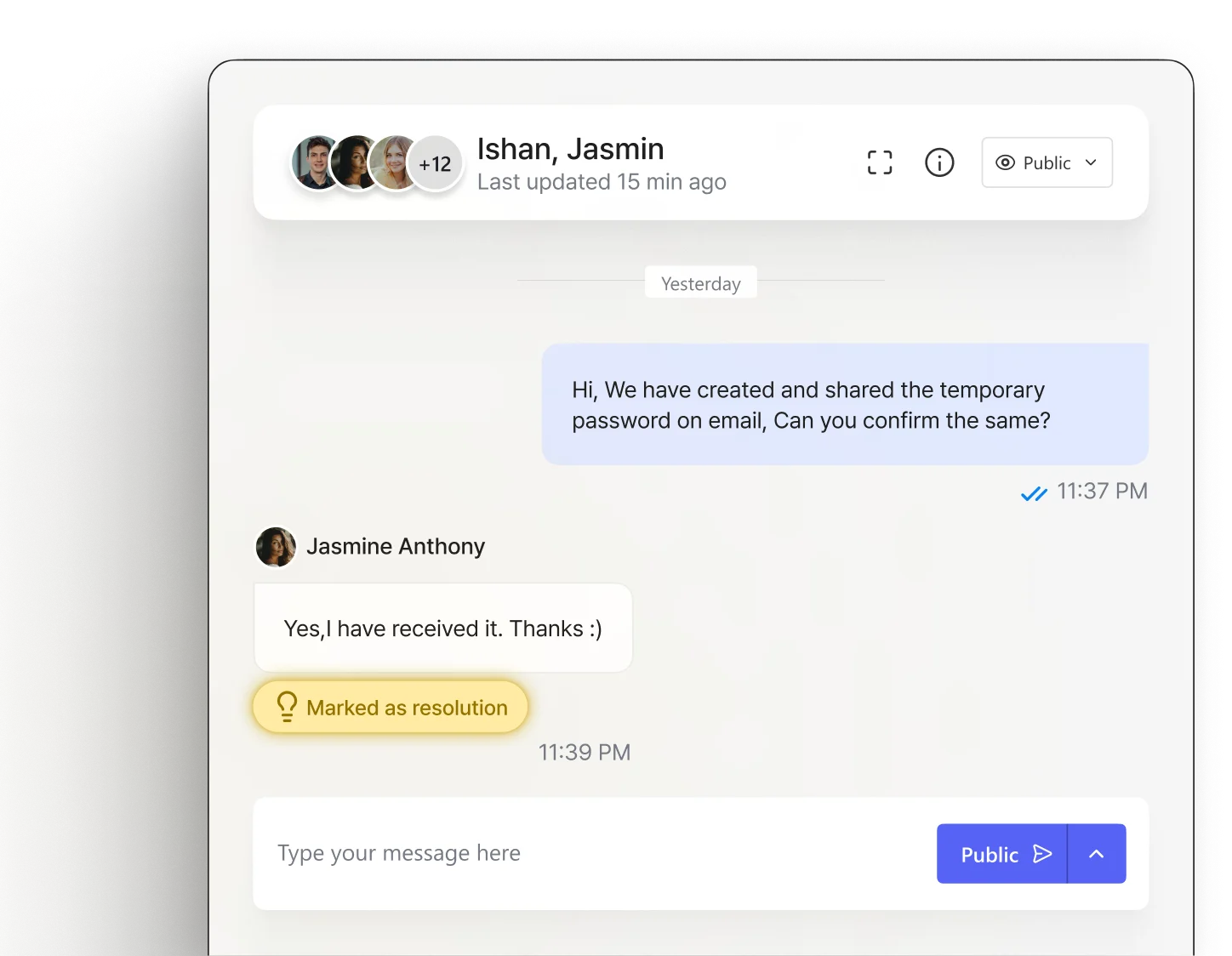
Mark resolutions in chat

Quickly access past ticket resolutions and insights from long chats by adding a 'resolution' tag to conversations.

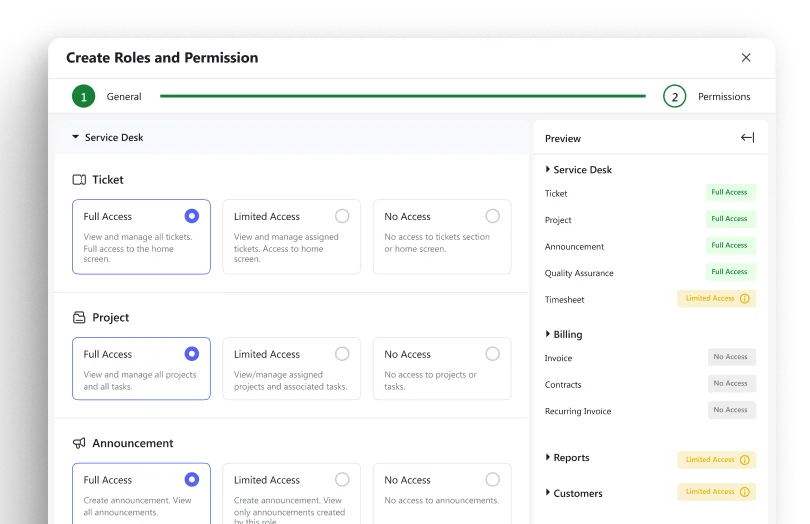
Roles and permissions

Control who has access to what within your service desk. Create roles tailored to each team member’s responsibilities and grant permissions to reduce security risks.

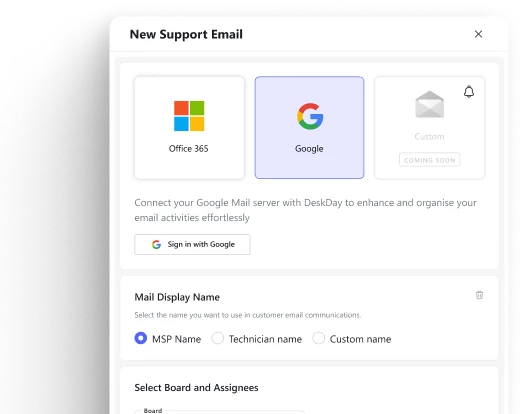
Custom email integration

Connect your Office 365 or Google support mailbox directly to DeskDay, turning every incoming email into a ticket in DeskDay—instantly.

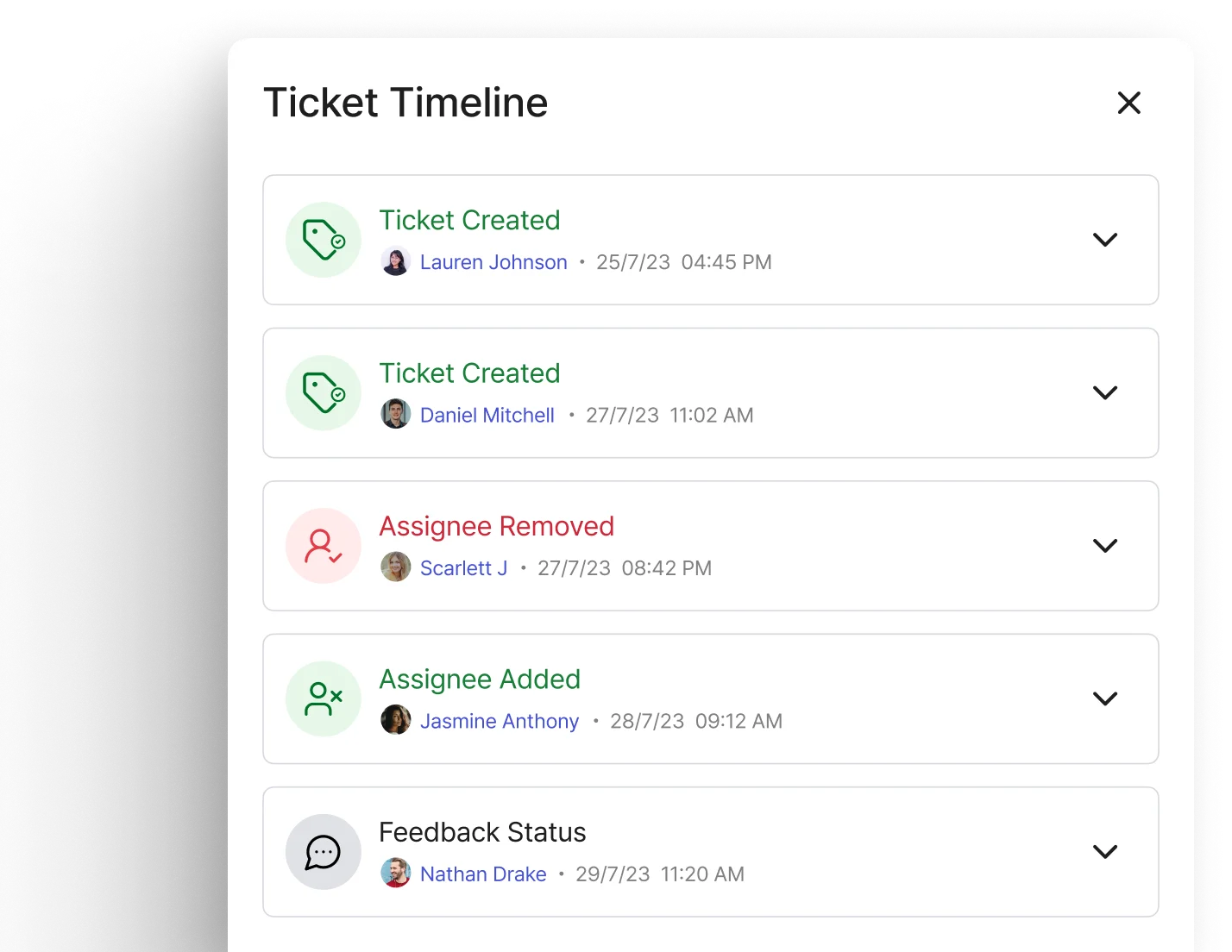
Comprehensive timelog

Maintain an end-to-end record of updates on customer tickets within the Timelog tab.

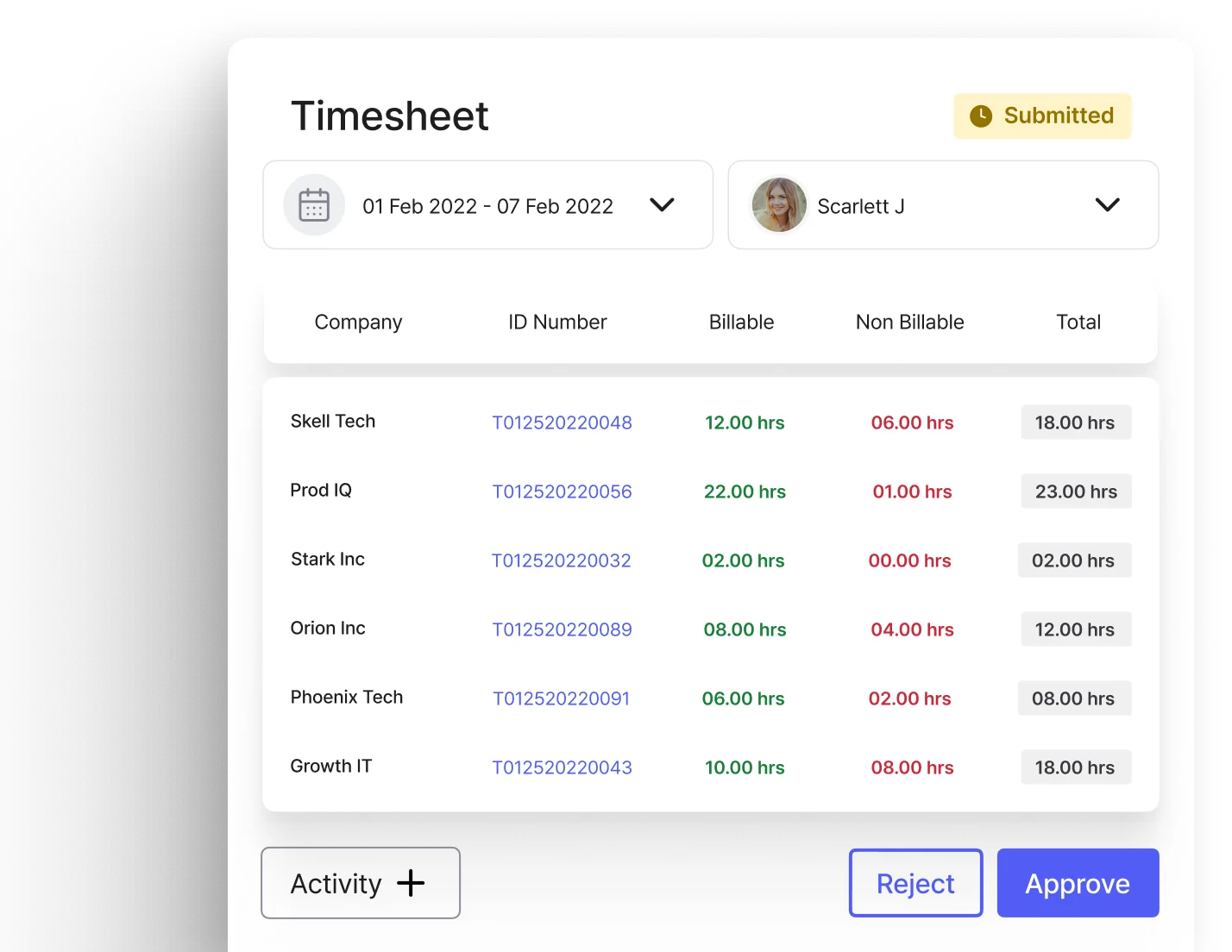
Time tracking & approvals

Quickly access past ticket resolutions and insights from long chats by adding a 'resolution' tag to conversations.

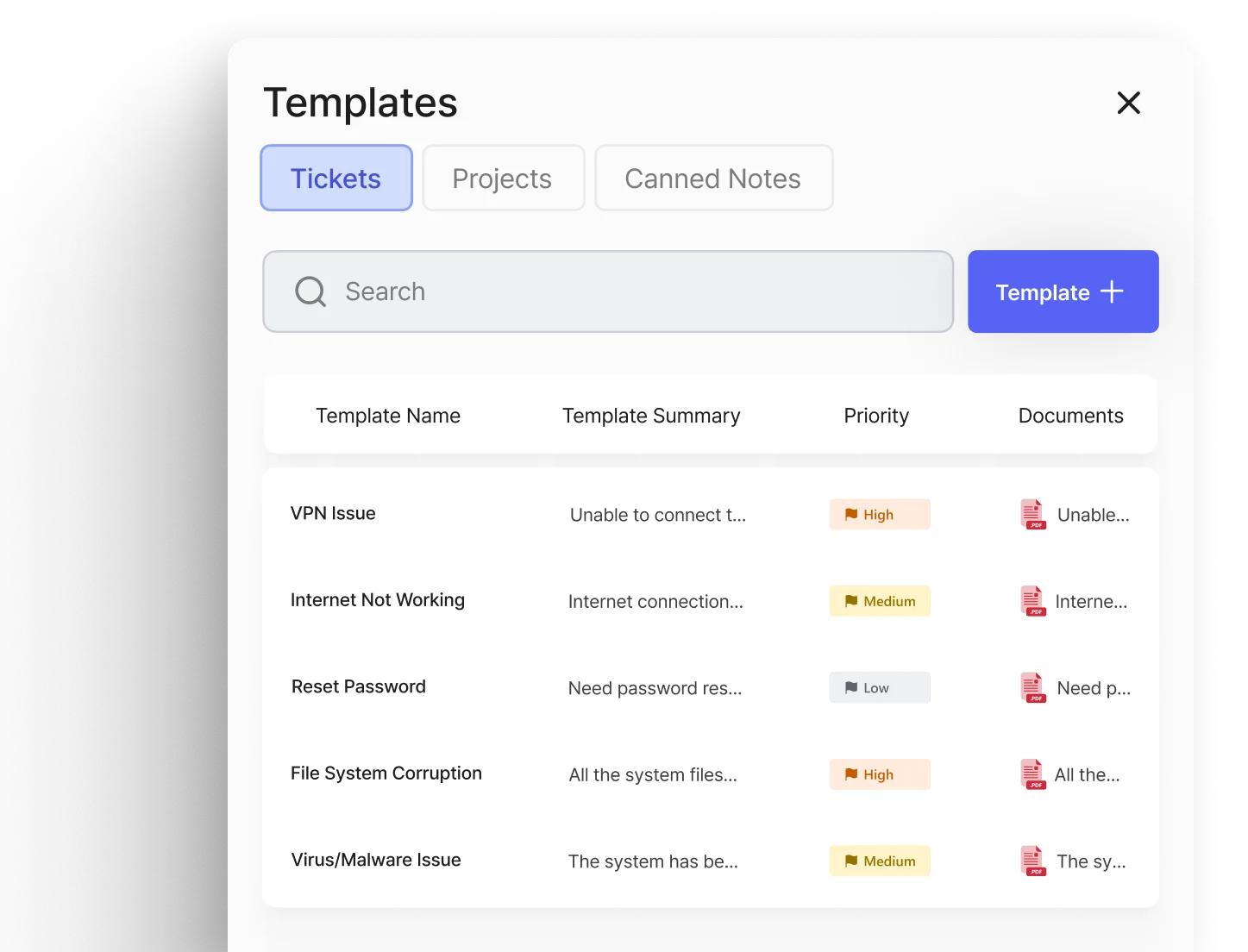
Customizable templates

Create tickets effortlessly in just three clicks with user-friendly templates.

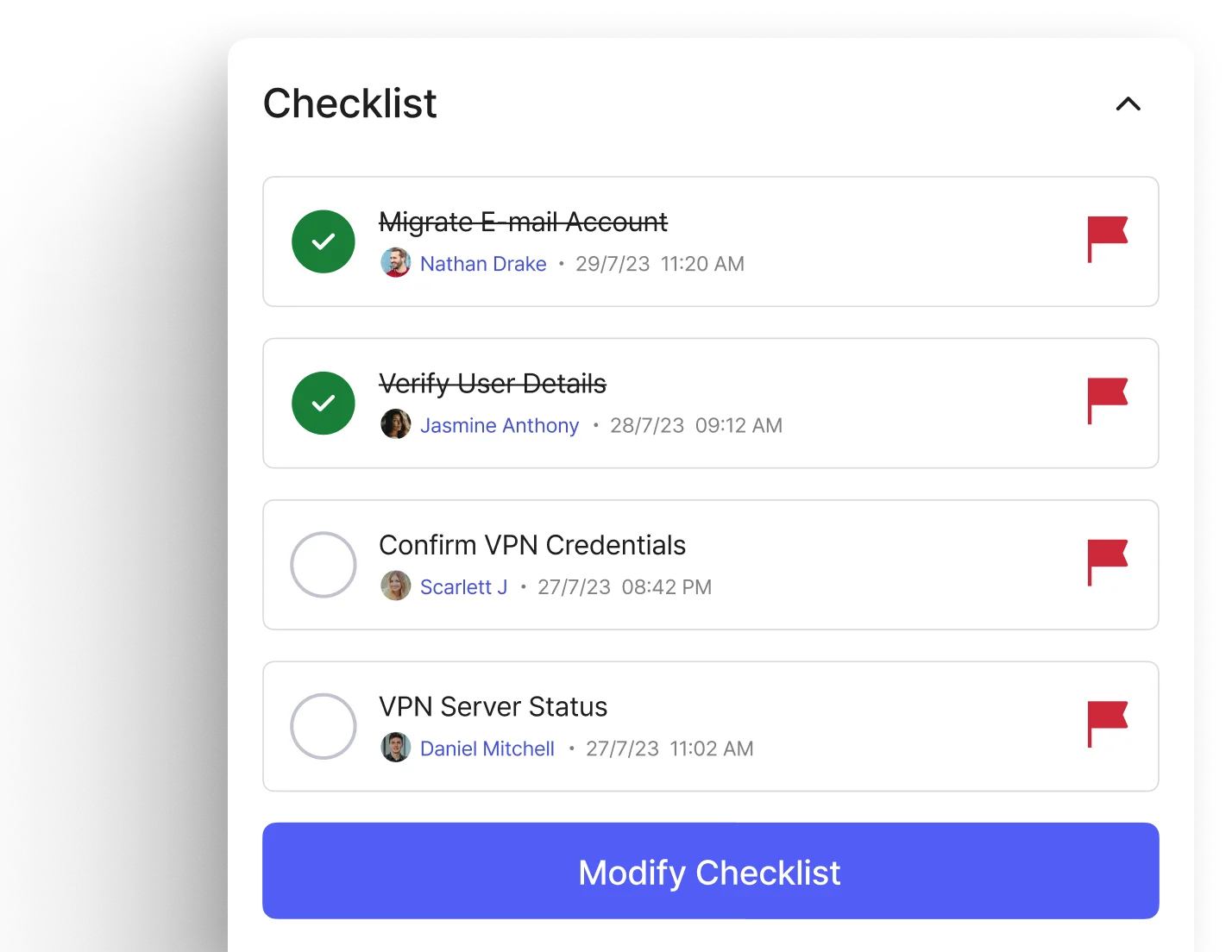
Checklists for troubleshooting

Utilize checklists to streamline ticket resolution and troubleshooting steps.

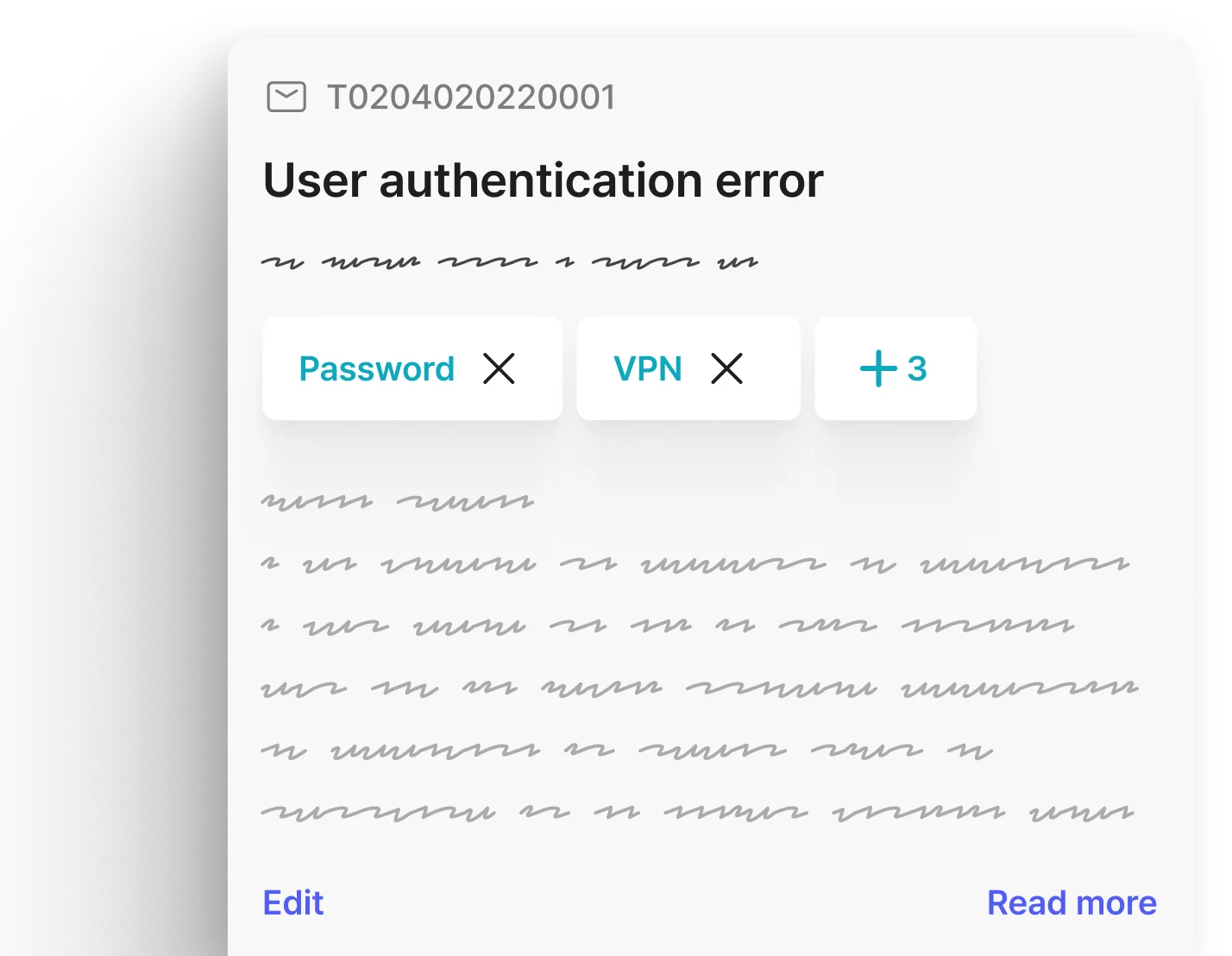
Ticket tagging for AI

Improve ticket organization and enable AI-driven processes by assigning tags for sorting and future automation.

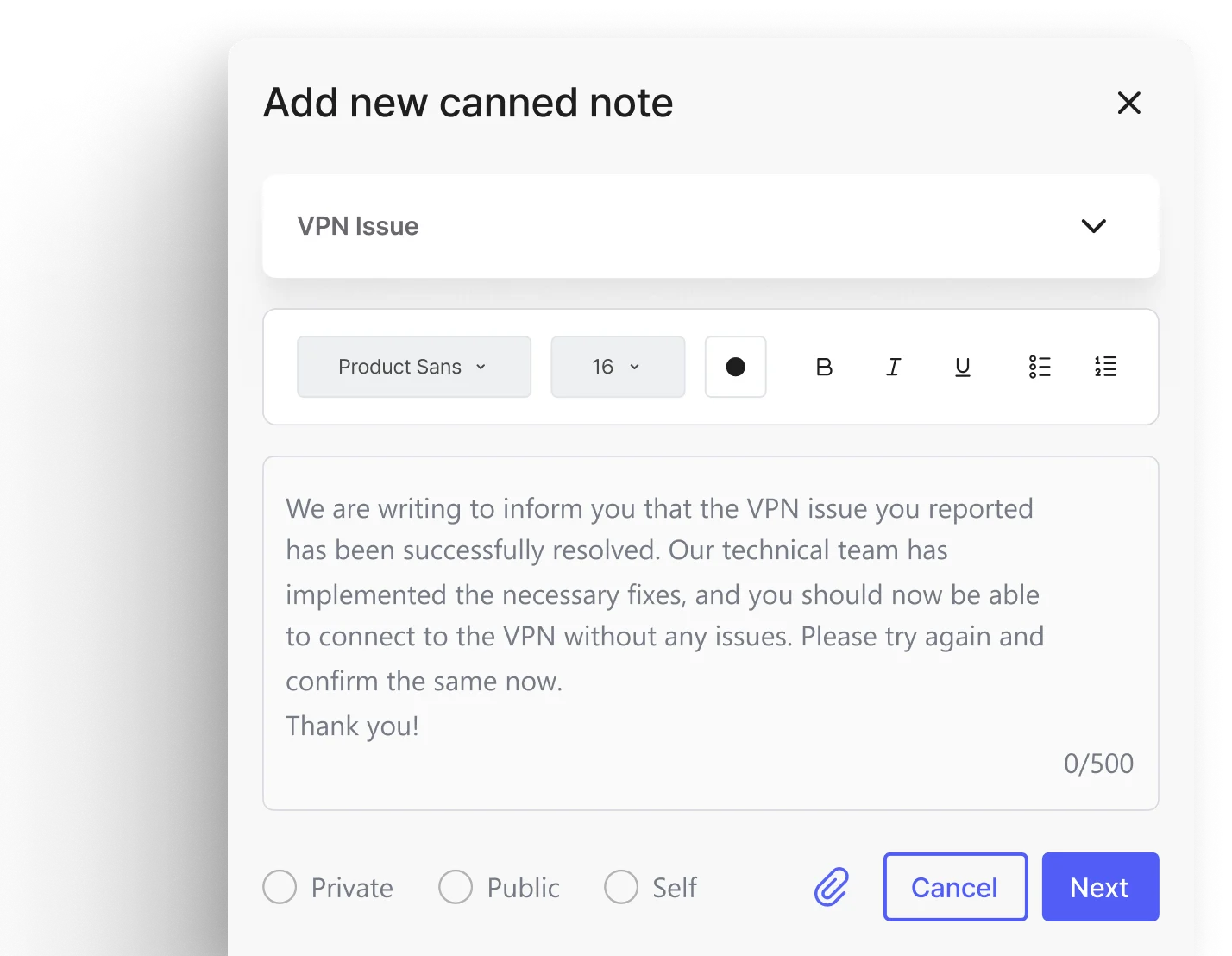
Predefined canned notes

Use prewritten notes/messages for efficient and consistent communication with users.

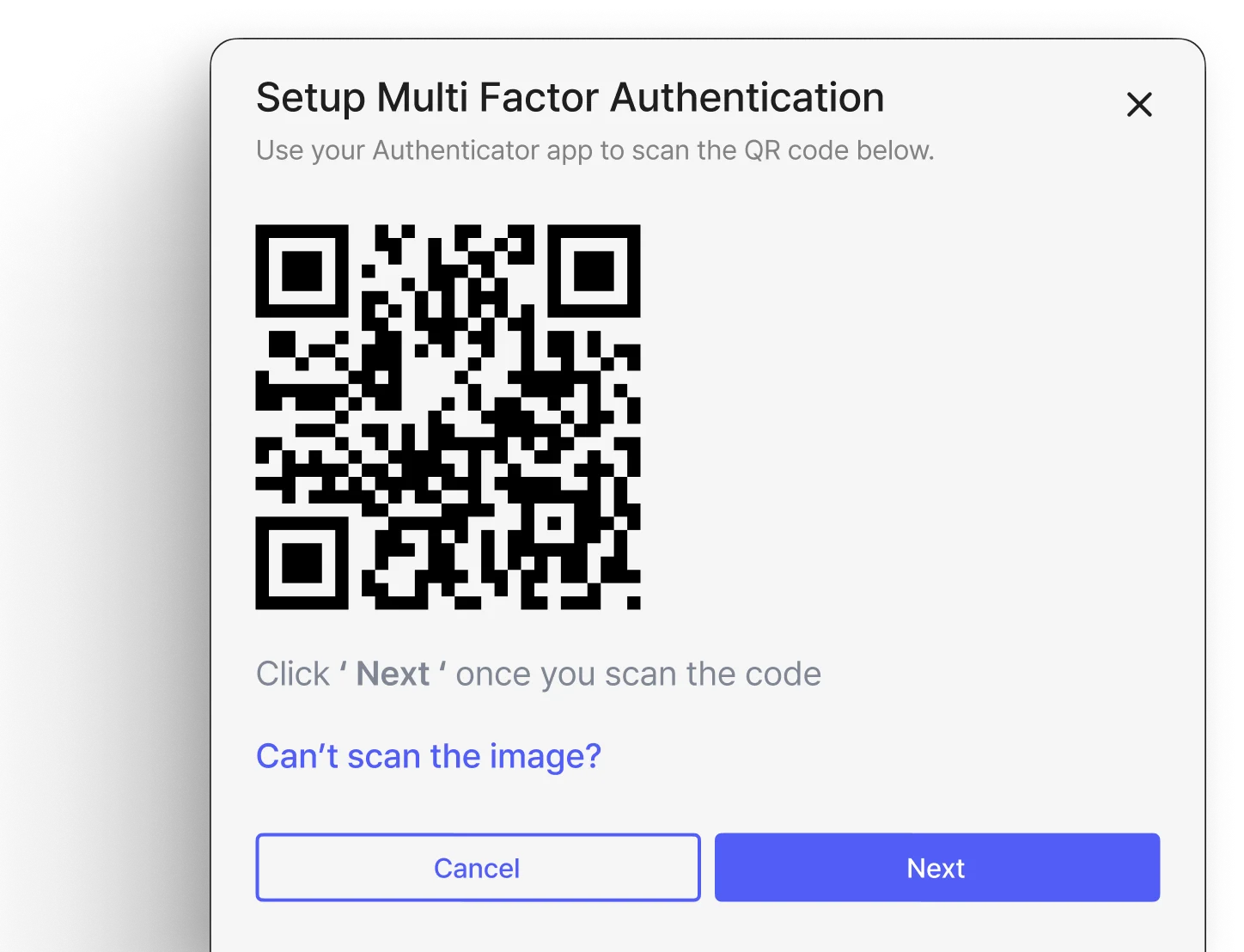
Multi factor authentication (MFA) for enhanced security

Enhance security and protect data with multi-factor authentication.

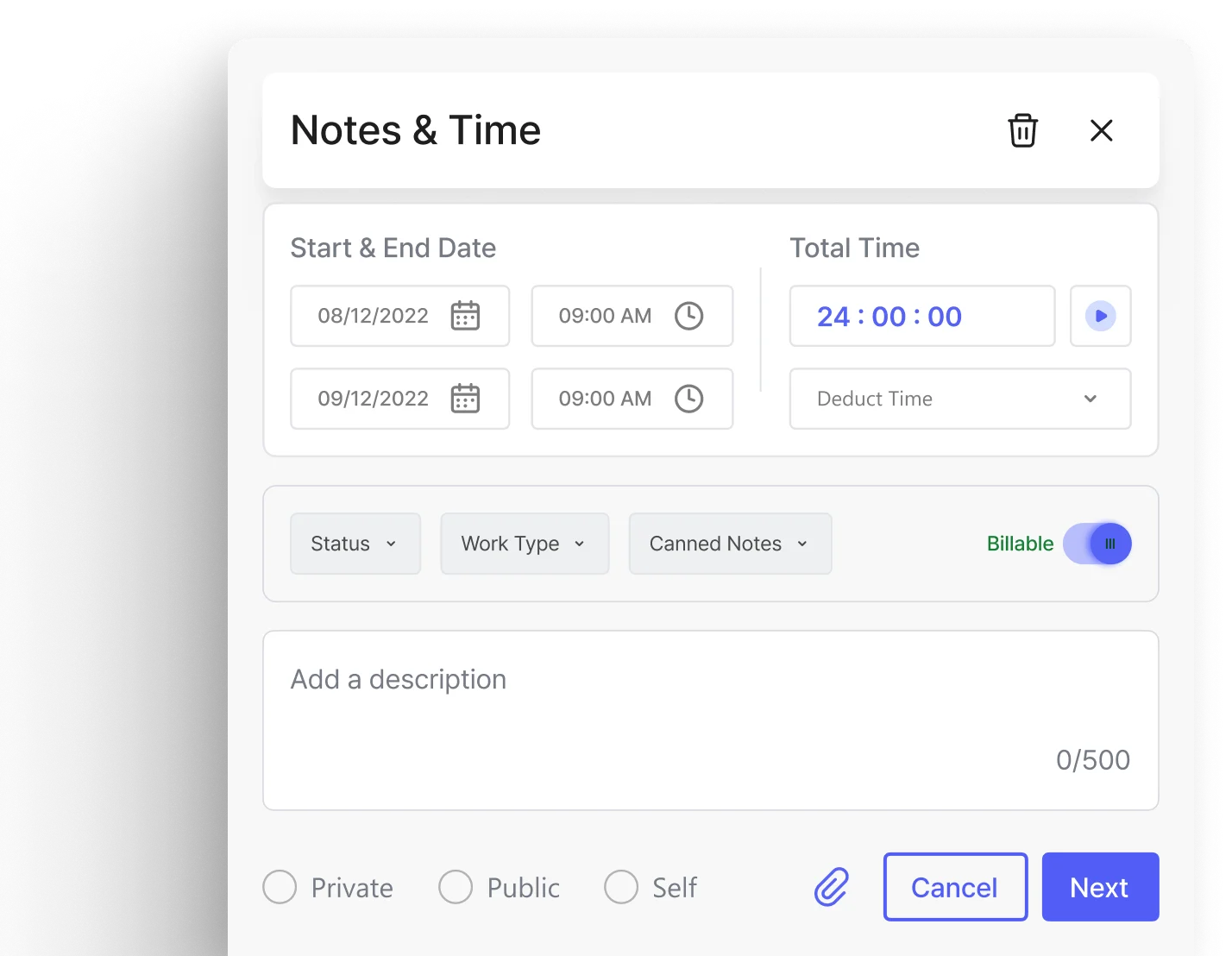
Notes & time

Update work time with detailed notes for accurate resource tracking, work monitoring, and customer billing.

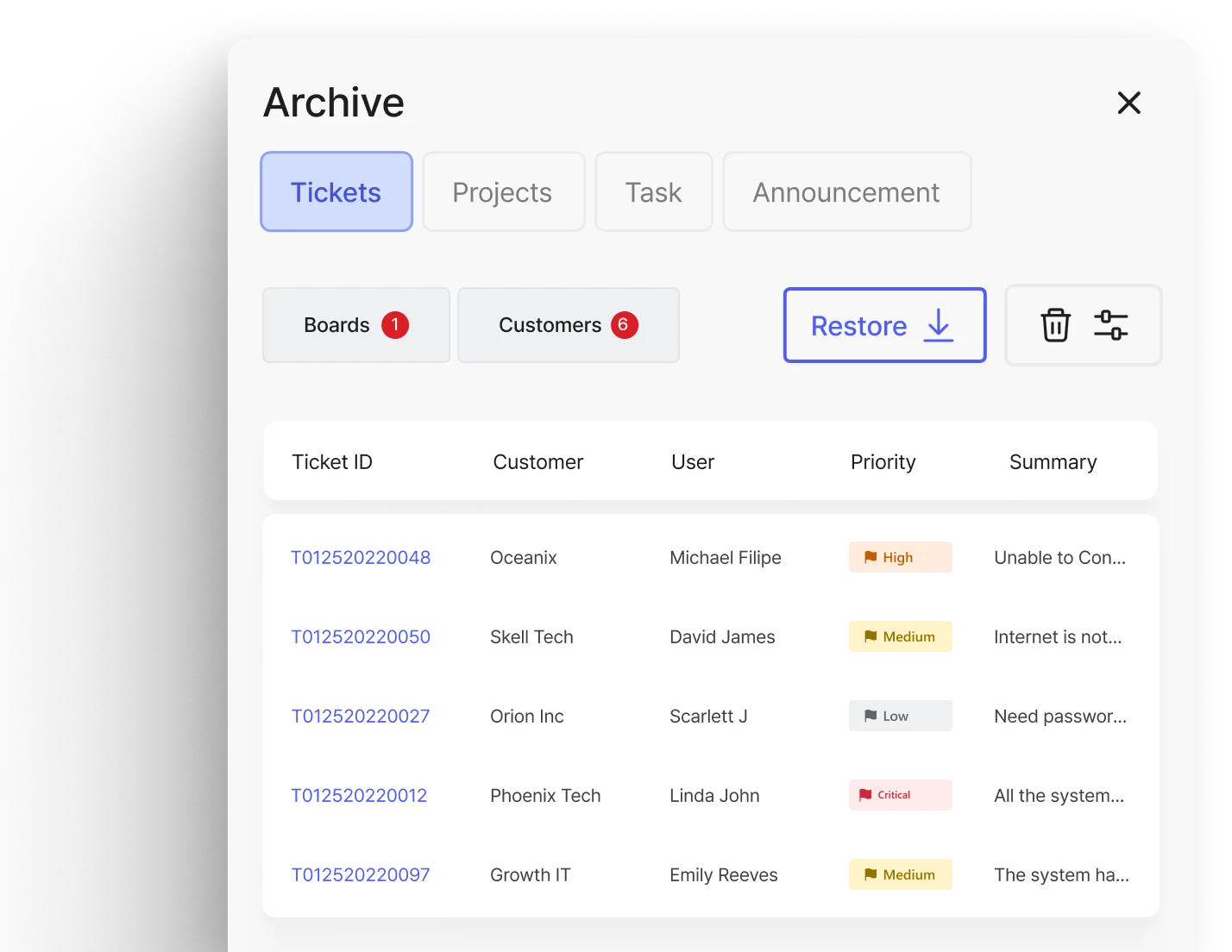
Archiving option to restore deleted tickets

Prevent data loss by easily restoring deleted tickets from archives.

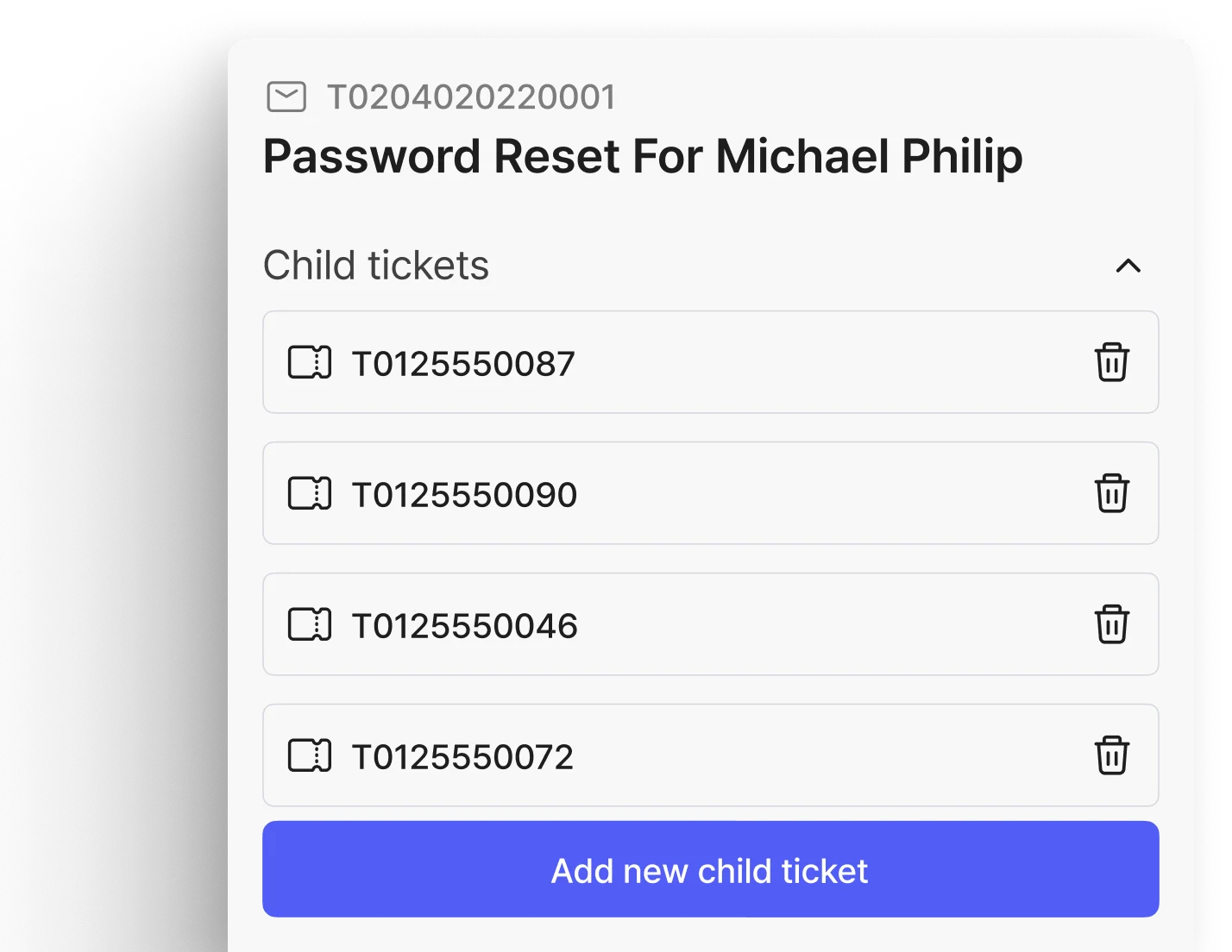
Creation of child tickets

Organize complex issues by linking similar tickets or generating sub-tickets.

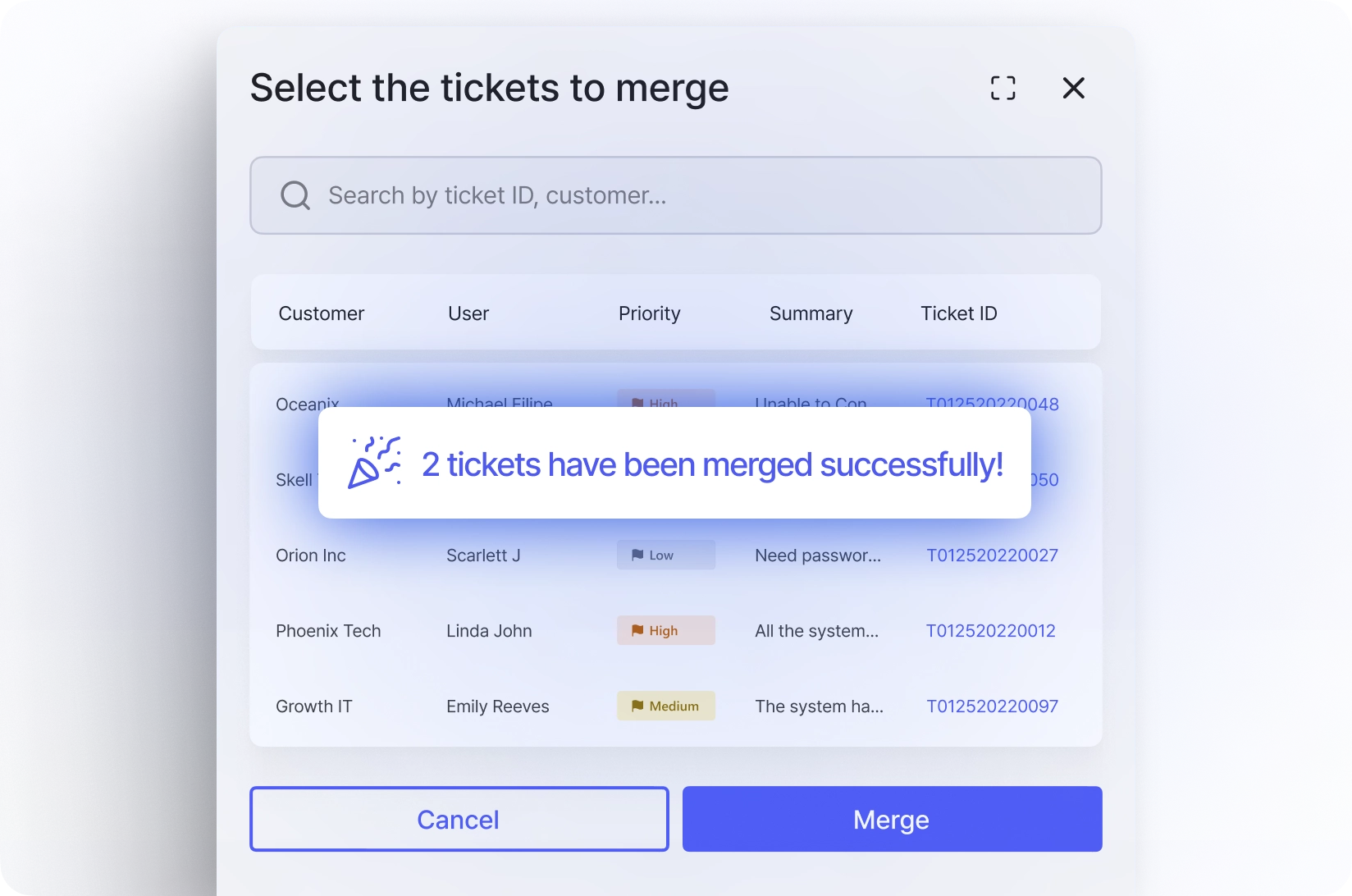
Merging duplicate tickets

Improve accuracy and visibility by merging duplicate tickets.

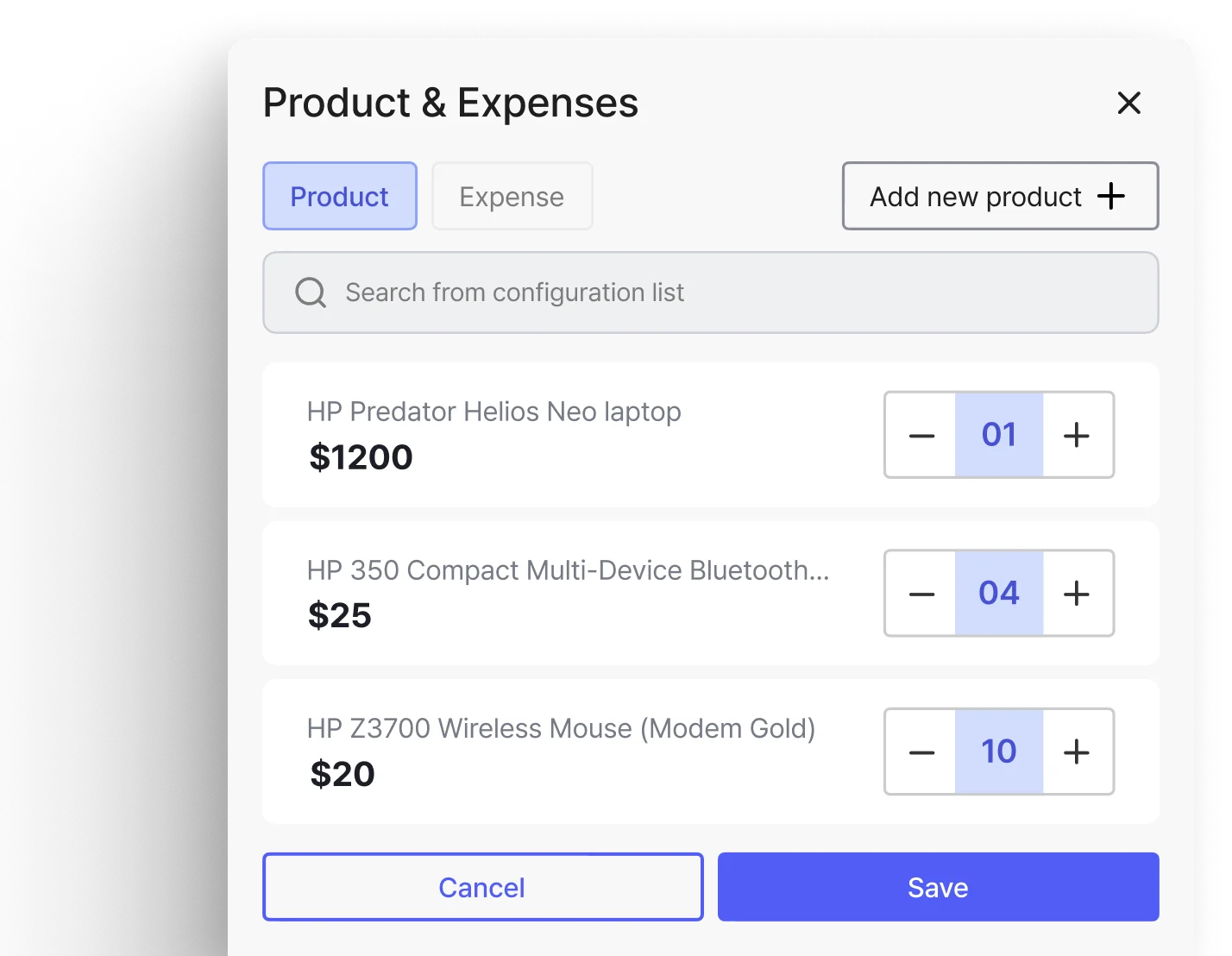
Product & expenses

Add related products and expenses to respective tickets to bill your customers accordingly.

Your companion on the move
Mobile Service Desk for MSPs & IT Teams

Explore More

Frequently asked questions

What makes DeskDay’s service desk different from traditional service desks/helpdesks?

Legacy tools are fragmented and slow, with chat and AI bolted on later. DeskDay is built with chat, automation, and AI natively, making it simpler to use, faster to onboard, and easier for techs from day one.

Can DeskDay replace our existing helpdesk or service desk?

Yes. DeskDay is designed to replace traditional helpdesk and service desk tools by combining ticketing, communication, automation, AI, and knowledge management in a single platform.

How does Helena, the AI agent, actually help techs day to day?

Helena reduces manual work by assisting with replies, suggesting past fixes, surfacing relevant knowledge base content, and highlighting urgency, while keeping techs fully in control.

Can techs work on multiple tickets at the same time in DeskDay?

Yes. DeskDay supports multiticketing, allowing techs to actively handle multiple conversations upto 7 without losing context, improving productivity during busy periods.

Does DeskDay support SSO for techs and end users?

Yes. DeskDay supports single sign-on using providers like Microsoft Entra ID, Google Workspace, and more, making access secure and eliminating password friction for both techs and users.

Does DeskDay include an internal knowledge base?

Yes. DeskDay includes an internal knowledge base that helps techs quickly find proven solutions, reduce repeat issues, and maintain consistency across support teams.

What channels can users raise tickets from?

Users can raise tickets via Microsoft Teams, desktop app (Windows & macOS), mobile apps (iOS & Android), email, or a web portal.

Does DeskDay replace email-based ticketing?

It supports email, but it’s not email-first. DeskDay is built around chat-style, conversational ticketing while still ingesting emails automatically via Microsoft Graph or Google integration.

Can tickets be routed automatically?

Yes. Workflow rules can auto-assign tickets, change priority, move tickets to boards, update status, and send auto-replies based on conditions like keywords, customer, or channel.

Can tickets be marked billable or non-billable?

Yes. Each ticket can be explicitly marked as billable or non-billable, and billing logic follows the contract attached to the ticket.

Can multiple techs work on the same ticket?

Yes. Tickets support multiple assignees, shared ownership, and tech collaboration.

Can techs track time directly from tickets?

Yes. Techs can start live timers or add manual time entries directly inside the ticket.

Does DeskDay support SLAs?

Yes. DeskDay supports response and resolution SLAs. Advanced SLA rules including pause, resume, escalation, and breach actions are lined as upcoming enhancements.

What is the Quality Assurance (QA) feature?

QA checks ticket hygiene. It flags tickets missing required fields like time entries, work type, or ticket classification, helping prevent revenue leakage and inconsistent processes.

Can QA rules block ticket closure?

Currently QA flags issues. Blocking ticket closure until required fields are completed is planned and under active feedback.

Can recurring tickets be created?

Recurring tickets (e.g., weekly backup checks) are coming soon, tied with scheduling and calendar features.